Codex remote.
Add your box as an SSH host in the ChatGPT desktop app and Codex runs its tasks on the box, with every edit syncing back to your Mac as it lands. One command sets the connection up.
What the app needs
The ChatGPT desktop app can point Codex at an SSH host instead of the Mac it runs on: the app starts a Codex server on the host over SSH, and every task in that project reads files, writes changes, and runs commands there. It asks three things of the host:
- Plain
sshreaches the host from the Mac running the app. - The
codexcommand is on the host's PATH in a login shell. Codex comes preinstalled on every box. - Codex is signed in on the host.
Connect the box
prized setup --agent chatgptOne command covers all three. It runs the Codex handoff, copying your Mac's Codex sign-in and MCP config to the box (see Credentials), and then, with your ok, names the box as a concrete Host alias in ~/.ssh/config itself. That last part matters because the app only lists concrete Host aliases it finds in that file, and Prized normally keeps its stanza behind an Include line the app may not follow. The alias is a small managed block, fenced with markers so it can be removed cleanly, placed below the Include line so Prized's stanza still supplies the tunnel, identity, and host-key settings:
# what the managed block amounts to, below the Include line
Host box-3fa9
HostName box-3fa9Editing ~/.ssh/config is a change to a file you own, so an interactive setup asks before writing it, and prized agents handoff chatgpt does the same on its own. In --json or --non-interactive runs nothing prompts: naming the agent with --agent chatgpt is the consent for the alias write.
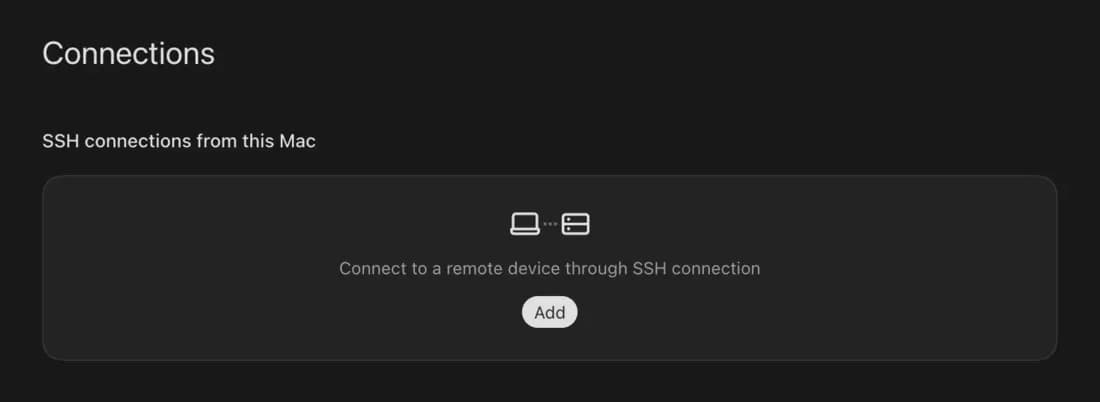
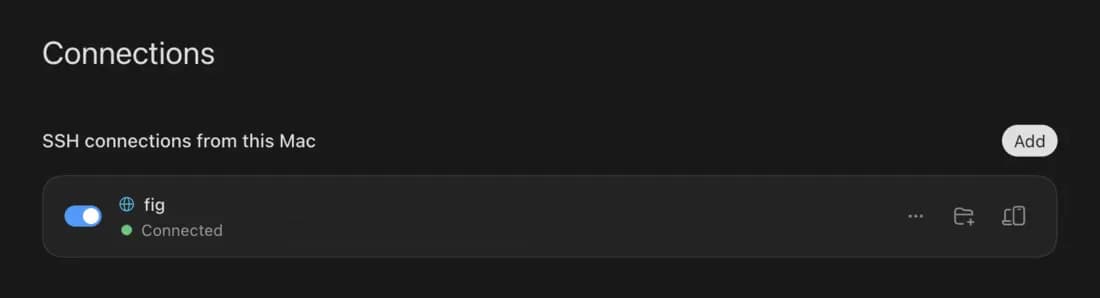
Then, in the ChatGPT desktop app, open Settings > Connections and add the box under SSH hosts; it shows up under its hostname. Pick a project folder on the box: a synced project lives at ~/code/<name>. You can confirm the plain connection first from a terminal (ssh box-3fa9; the hostname is in prized status and on the dashboard).
New tasks in that project now run on the box. Because the folder is synced, the edits stream into the project's folder on your Mac (~/Prized/<name> by default, your own folder when synced in place) as the task works, so you review the diff locally like any other agent's work; see Agents.
From your phone
With the connection in place, the ChatGPT mobile app can start, steer, and review Codex tasks on the box from anywhere. OpenAI gates this by rollout and workspace settings, so check Settings > Connections in the app if you do not see it. One limit: tasks on an SSH host cannot hand off to Codex's own cloud environments.
Wake and sleep: the caveats
Two of them, both about who owns the connection.
Wake the box first. The app connects with plain ssh, which does not wake a suspended box the way prized ssh does. If the box is paused, resume it from the dashboard or run prized ssh once, then connect.
The app stops when your Mac sleeps. The desktop app owns the SSH connection, and OpenAI tells you to keep that computer awake and online, so a sleeping Mac or a closed app ends the task. For an agent that keeps working with the laptop closed, start Codex detached on the box instead:
prized agents run codexThe session is born on the box, so nothing about your Mac's state can end it; see Agents.
Something unclear or out of date?
Agents
Start a coding agent, close the laptop, and let it work. An agent is an ordinary process on a machine you already pay for, so nothing it does is metered.
Boxes
A box is a dedicated Linux machine in the size you pick, from Nano to Extra Large. Create and manage boxes on the dashboard; connect to them with the CLI.